Unblur & Upscale
Photos with AI
Turn blurry, pixelated, and low-resolution photos into sharp, high-definition images. Our AI removes blur, reduces noise, and upscales up to 8x while recovering lost detail.
What Our AI Photo Enhancer Does
From blurry snapshots to pixelated scans, our AI recovers detail you thought was lost forever.
Super-Resolution Upscaling
Enlarge photos up to 4x or 8x while reconstructing realistic details using Real-ESRGAN deep learning models.
Blur Removal
Fix motion blur, out-of-focus shots, and camera shake with AI deblurring technology.
Noise Reduction
Remove film grain, digital noise, and compression artifacts while preserving natural textures.
How AI Photo Enhancement Works
Upload Your Photo
Upload any blurry, noisy, or low-resolution image. We support JPG, PNG, TIFF up to 20MB.
AI Analyzes Quality
The AI detects blur type, noise level, and missing detail. It selects the optimal enhancement model automatically.
Download HD Result
Receive your sharpened, denoised, and upscaled photo in high resolution within seconds.
See the Enhancement Results
Drag the slider to compare the original low-quality photo with the AI-enhanced version.
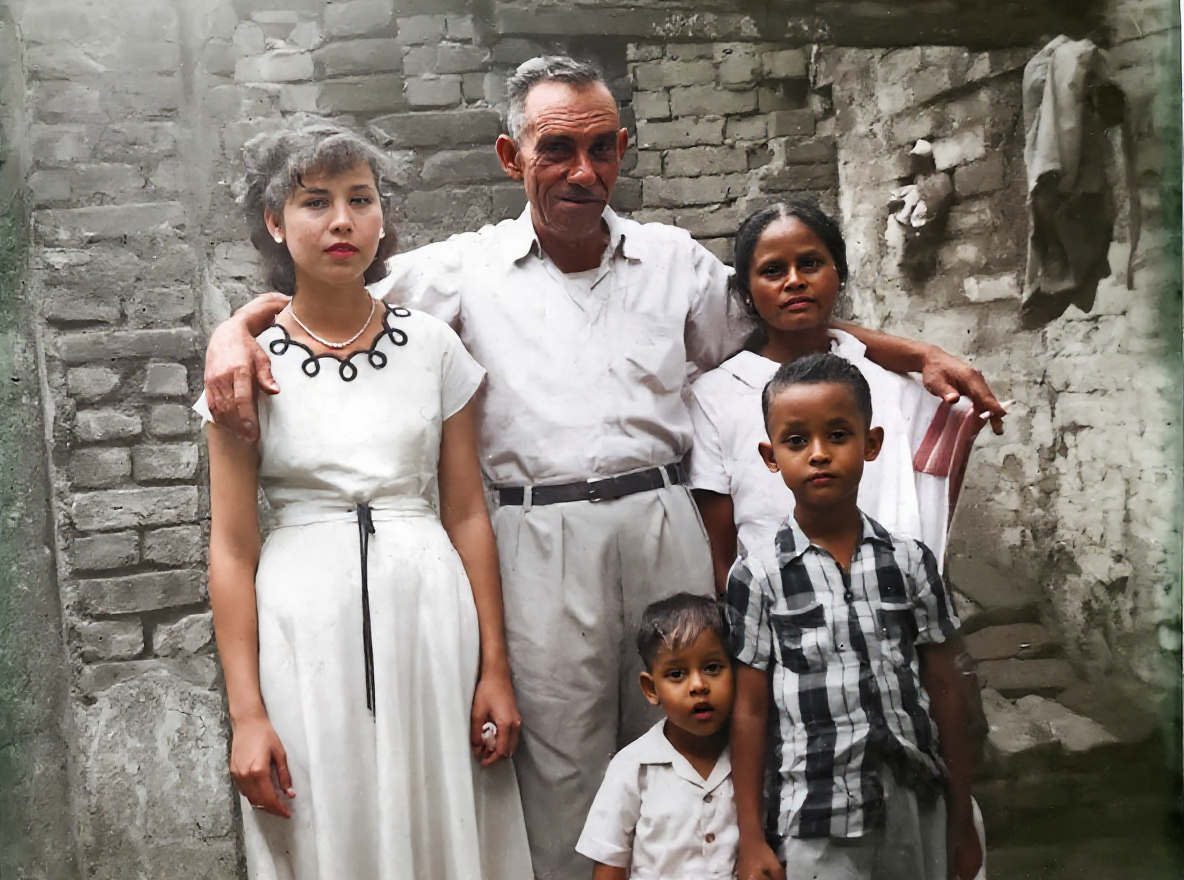
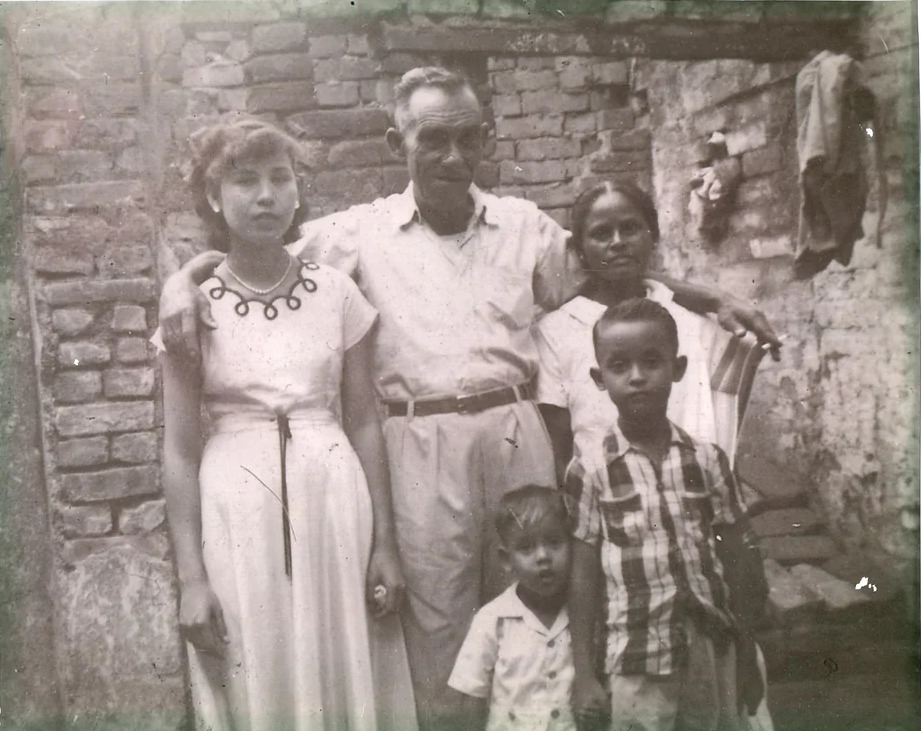
Recover Detail You Thought Was Lost
Traditional photo editing software can sharpen images slightly, but it cannot create detail that does not exist. PhotoWake AI is different. Our super-resolution models (Real-ESRGAN) are trained to hallucinate realistic high-frequency details — hair strands, fabric textures, facial features — that are consistent with the low-resolution input. Combined with advanced denoising (NAFNet) and deblurring, the results are dramatically better than conventional sharpening tools.
- Upscale photos up to 8x while reconstructing realistic textures and edges.
- Remove motion blur, out-of-focus blur, and camera shake automatically.
- Reduce film grain, digital noise, and JPEG compression artifacts.
- Enhance faces with GFPGAN for crystal-clear portrait results.
- Costs $0.45 per photo vs expensive desktop software subscriptions.
- No installation needed — works in any web browser on any device.
Photo Enhancement Methods Compared
| Method | Cost | Upscaling |
|---|---|---|
| Photoshop + Plugins | $20.99/mo | Up to 2x |
| Dedicated AI Desktop Apps | $49 – $199 | Up to 4x |
| PhotoWake AI | $0.45/photo | Up to 8x |
Prices are approximate and may vary by provider and photo complexity.
Who Uses AI Photo Enhancement?
Social Media Profiles
Turn low-resolution profile pictures into sharp, professional headshots that stand out on LinkedIn and other platforms.
Product Photography
E-commerce sellers upscale and sharpen product photos for marketplaces that require high-resolution images.
Scanned Family Photos
Old scans are often low-resolution. Enhance them for large-format printing and digital archiving.
Real Estate & Travel
Photographers enhance blurry or noisy shots taken in low light to create stunning, printable images.
Photo Enhancer FAQs
Turn Blurry Photos Into Crystal-Clear Images
Do not let low resolution or blur ruin your favorite photos. Upload your first image and see the AI enhancement magic in seconds. New users get 2 free credits.
Enhance Photos NowNo credit card required · No subscription